A Comprehensive Guide to PropTypes in React
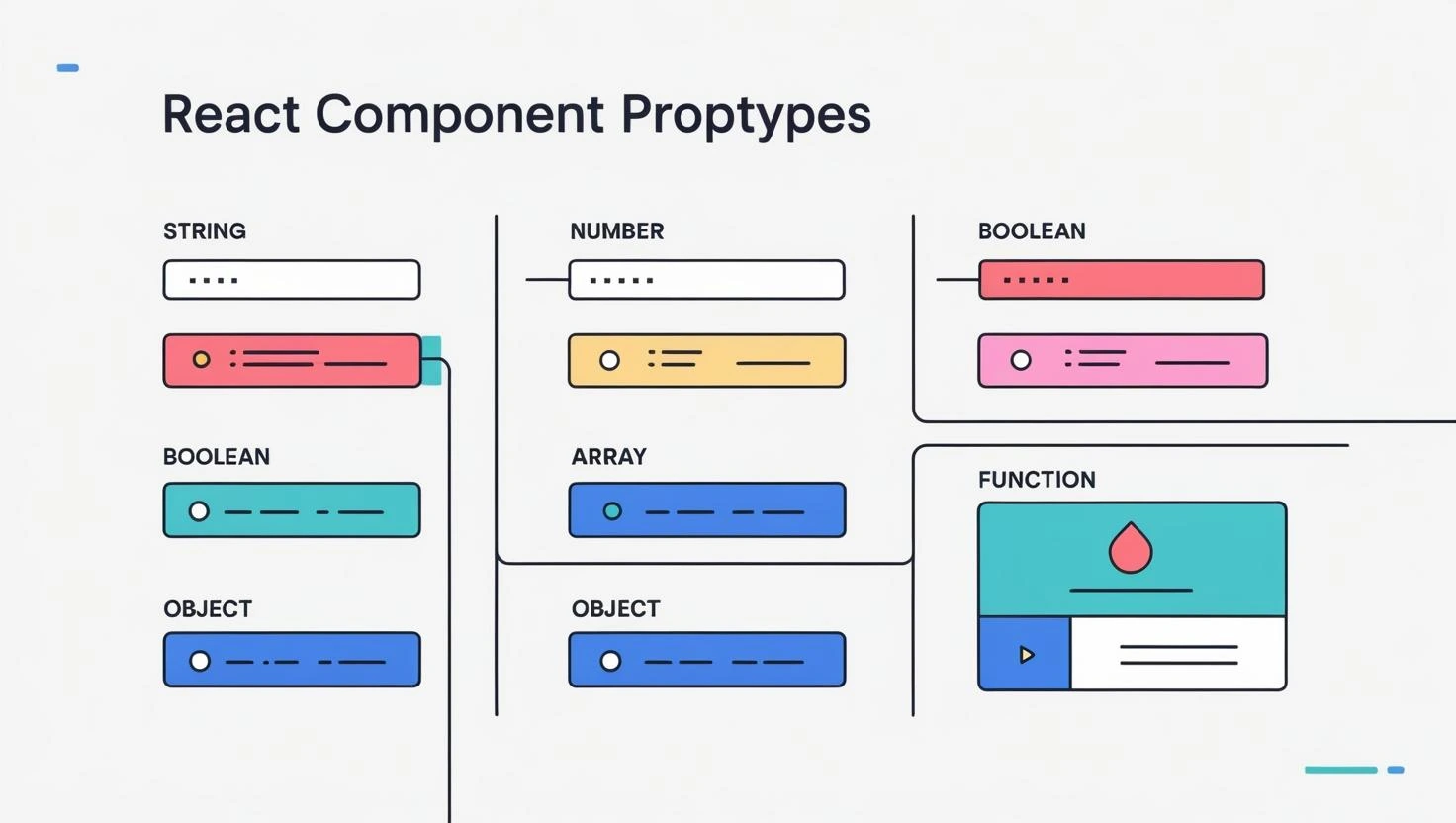
When building React applications, passing data between components is a common practice. However, ensuring that components receive the correct type and shape of data is crucial for preventing runtime errors and improving code maintainability. This is where PropTypes come into play. In this guide, we'll explore what PropTypes are, why they are useful, how to implement them, common use cases, advanced techniques, best practices, and even compare them to TypeScript for a better understanding.
What Are PropTypes?
PropTypes is a built-in type-checking mechanism in React that helps validate the data passed as props to a component. By defining PropTypes, developers can enforce certain rules on the props, reducing potential bugs caused by incorrect data types.
React provides PropTypes through the prop-types package, which must be installed separately. It helps ensure components receive props in the correct format, reducing the chances of unexpected behavior.
Why Use PropTypes?
- 1. Type Checking at Runtime
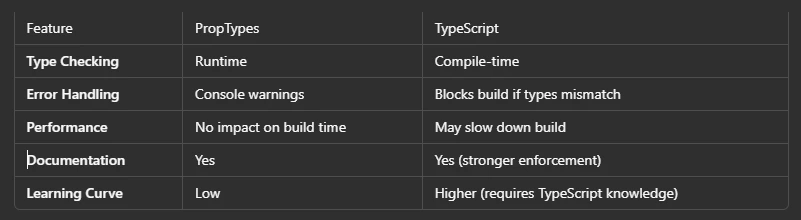
Unlike TypeScript, which provides compile-time type checking, PropTypes validate the props at runtime in development mode. If an incorrect prop type is passed, React will display a warning in the console, making debugging easier.
- 2. Better Debugging
Without PropTypes, tracking down issues related to incorrect props can be difficult. With PropTypes, React gives warnings whenever a component receives invalid data, allowing developers to catch errors early.
- 3. Self-Documenting Components
PropTypes act as an inline documentation tool, making it clear what kind of data a component expects. This helps other developers (or even your future self) understand component requirements quickly.
- 4. Default Values for Props
PropTypes allow setting default values for props, ensuring that components behave correctly even if some props are missing.
Installing PropTypes
If you're using React 15.5 or later, you need to install the prop-types package separately:
npm install prop-types
How to Use PropTypes in React
Let's take a simple example of a UserCard component that displays a user's name, age, and email:
        import React from "react";
        import PropTypes from "prop-types";

        const UserCard = ({ name, age, email }) => {
          return (
            <div>
              <h2>{name}</h2>
              <p>Age: {age}</p>
              <p>Email: {email}</p>
            </div>
          );
        };

        UserCard.propTypes = {
          name: PropTypes.string.isRequired,
          age: PropTypes.number,
          email: PropTypes.string
        };

        UserCard.defaultProps = {
          age: 18, // Default age if not provided
          email: "Not Provided"
        };

        export default UserCard;
- PropTypes.string.isRequired: Ensures name is a required string.
- PropTypes.number: Ensures age is a number (optional).
- PropTypes.string: Ensures email is a string (optional).
- defaultProps: Provides default values if certain props are missing.
Common PropTypes Validators
Here are some commonly used PropTypes validators:
- PropTypes.string: Ensures the prop is a string.
- PropTypes.number: Ensures the prop is a number.
- PropTypes.bool: Ensures the prop is a boolean.
- PropTypes.array: Ensures the prop is an array.
- PropTypes.object: Ensures the prop is an object.
- PropTypes.func: Ensures the prop is a function.
- PropTypes.node: Ensures the prop is a valid React node (JSX, string, number, etc.).
- PropTypes.element: Ensures the prop is a valid React element.
- PropTypes.instanceOf(ClassName): Ensures the prop is an instance of a specific class.
- PropTypes.oneOf(['value1', 'value2']): Ensures the prop is one of the specified values.
- PropTypes.oneOfType([PropTypes.string, PropTypes.number]): Allows multiple types.
- PropTypes.arrayOf(PropTypes.string): Ensures an array of specific types.
- PropTypes.shape({ key: PropTypes.string }): Validates object shape.
- PropTypes.exact({ key: PropTypes.string }): Ensures object has only specified keys.
Advanced Usage
- PropTypes for Objects and Arrays
When a prop is an object with a specific shape, you can use PropTypes.shape:
        UserCard.propTypes = {
          user: PropTypes.shape({
            name: PropTypes.string.isRequired,
            age: PropTypes.number,
            email: PropTypes.string
          }).isRequired
        };
For arrays of objects:
        PropTypes.arrayOf(
          PropTypes.shape({
            id: PropTypes.number.isRequired,
            name: PropTypes.string.isRequired
          })
        )
PropTypes vs. TypeScript: Which One Should You Use?
When to Use What?
If you already use TypeScript, you don't need PropTypes because TypeScript provides stricter type checking.
If you're using plain JavaScript, PropTypes is a great lightweight solution for enforcing type safety.
Best Practices for Using PropTypes
- Use isRequired for mandatory props to avoid unexpected errors.
- Define defaultProps to handle missing values.
- Use oneOf and oneOfType when a prop can take multiple predefined values.
- Validate object shapes with shape or exact for better structure enforcement.
- Keep PropTypes definitions outside the component to keep code clean and readable.
Conclusion
PropTypes is a powerful and easy-to-use type validation tool for React components, especially when working with JavaScript. While TypeScript provides stricter compile-time checks, PropTypes remains a great choice for ensuring runtime validation and improving debugging.
If you're working on a React project and not using TypeScript, adding PropTypes is a simple yet effective way to catch bugs early and document your components better.